 Squadora
Squadora
Your club. Ready to go.
Season start is chaos: teams, rosters, fees. We set them up for you, and the $500 is on us.
Use my credit and sign up
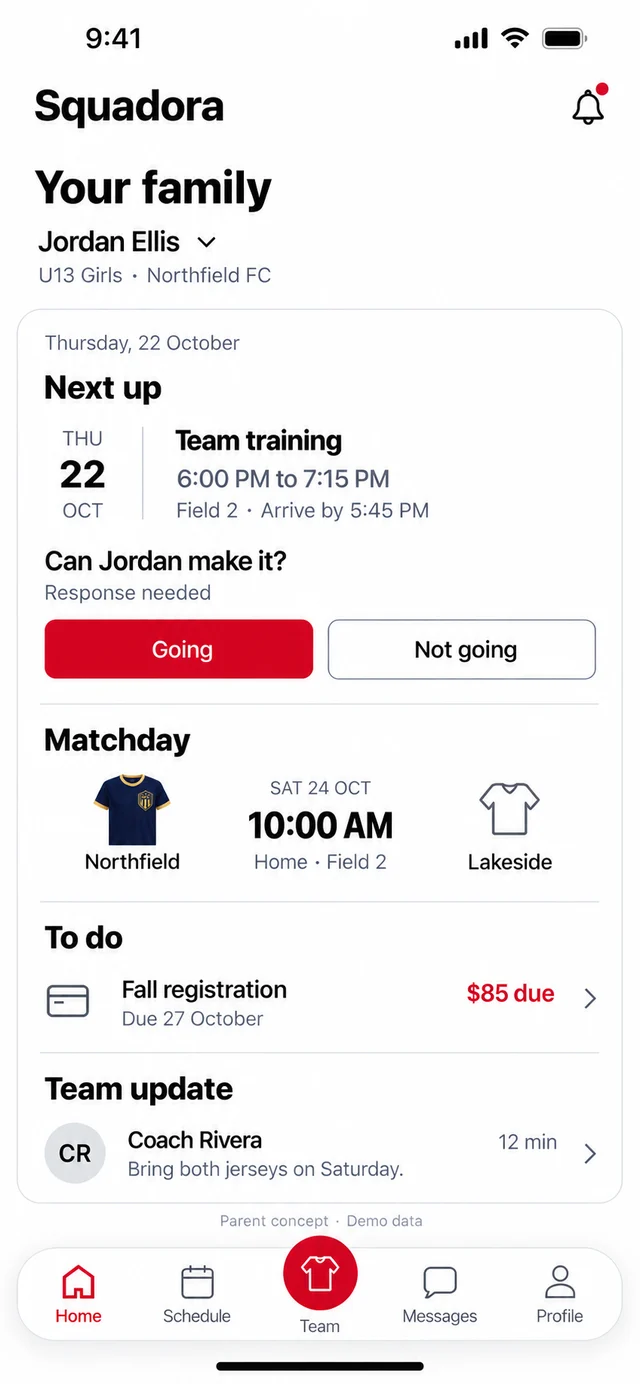
Shown with our demo club.
What we set up.
- 01Club profile and brandingYour crest and colors, so families see your club the day they open the app.
- 02Guided Stripe setupCard payments go straight to your club's own Stripe account.
- 03Registration and payment configurationFees, sign-ups and installments, ready for the season.
- 04Team and roster importsBring your teams and players in from the lists you already have.
- 05One administrator training sessionWe show you around, so you are not learning it alone.
How it works.
- 01Sign upYour code goes with you. There is nothing to copy or paste.
- 02Create your clubA name and a few details. It takes a minute.
- 03Book your setupYour code is already typed in. Tap Apply, then Book my setup. Your total is $0.
What it costs.
$0Assisted club setup is $500, and your code covers it. There is no subscription.
Card payments carry Stripe processing and a Squadora platform fee.
Questions.
What does on us mean?
Assisted club setup is $500. Your code covers all of it, so you pay nothing for setup.
Is there a subscription?
No. There is no subscription.
What do card payments cost?
Card payments carry Stripe processing and a Squadora platform fee. The money goes straight to your club's own Stripe account.
What if I do not have my code with me?
The button still works. Sign up, create your club, and type your code in on the setup screen.
I already have a Squadora account.
Sign in on the next screen. If you already have a club, we take you straight to its setup.
Who do I ask?
Write to support@squadora.com. A person reads every message.