 Squadora™
Squadora Club Report / Guide
How do you roster a youth soccer club without losing a month to it?
A roster looks like a list of names. For the registrar who builds it, it's the last step of a chain that starts with the season dates and runs through forms, fees and placements.
The real challenge
Ask a registrar what slows rostering down and the answer is rarely the placing. It's the chasing. A family paid but didn't sign the medical form. Another family signed twice under two emails. A birth date was typed wrong, so a child lands in the wrong age group. A coach is placed before their clearance is done, and the league sends the roster back.
The order of the work matters more than the tool. Get the season right, then registration, then a clean player pool, then placement. Skip a step and you redo the ones after it.
What we looked at
We read the guides that rank for this question on October 25, 2026: a league roster guide from JerseyWatch, TeamSnap's roster template article, and Eastern Pennsylvania Youth Soccer's 2026-27 tournament team document. We read US Youth Soccer's decision on age groups for 2026-27. Squadora's part comes from its own published feature list. This is a guide to the process, not a hands-on test of any product.
Step 1. Set the season before anything else
From the 2026-27 season, US Youth Soccer, AYSO and US Club Soccer group players by school year, August 1 to July 31, instead of birth year. That changes which age group some children land in, so set the season dates and the age groups first. Every later step reads from them.
Our age group chart for 2026-27 shows every group from U4 to U19.
In Squadora, age groups follow the August 1 to July 31 cycle, and a season rollover copies each team into the next season one year older.
Step 2. Put the forms and the fee inside registration
Most of the chasing comes from forms and fees collected after a child is already on a team. Collect them as part of registration instead.
In Squadora, a club opens a registration for a season, camp, clinic, tryout or league, with a fee, a spot limit, a waitlist and a closing date. A registration can require families to sign chosen forms before they register. A registration with a price confirms only after it is paid. The fee can be split into 2, 3, 4 or 6 payments, and the money goes to the club's own Stripe account.
Step 3. Clean the player pool before you place anyone
Before a single team is formed, clear four things: unpaid registrations, unsigned forms, duplicate players and wrong birth dates. A duplicate placed on two teams, or a child in the wrong age group, costs far more to fix after the roster is published.
In Squadora, an admin imports a roster from CSV, Excel or pasted rows, maps the columns, reviews duplicates and creates the teams named, up to 500 players a file. Once a birth date is set it is locked, and a parent asks the club to correct it, so an age group can't drift by a typo.
Step 4. Place players, then clear the coaches
Balance team sizes within each age group first, then by level where the club runs more than one team. Coaches go on a roster only when their clearances are done. Eastern Pennsylvania's 2026-27 document says a coach is not approved on a roster until the clearances are uploaded, and a tournament roster must match the base roster.
In Squadora, there are 12 roles, enforced by database rules and not only by the screens, and staff can be limited to the teams they are assigned.
Step 5. Publish to families and keep it current
A published roster is where families start asking questions, so the next steps should already be on their phones: the schedule, the RSVPs and who to message.
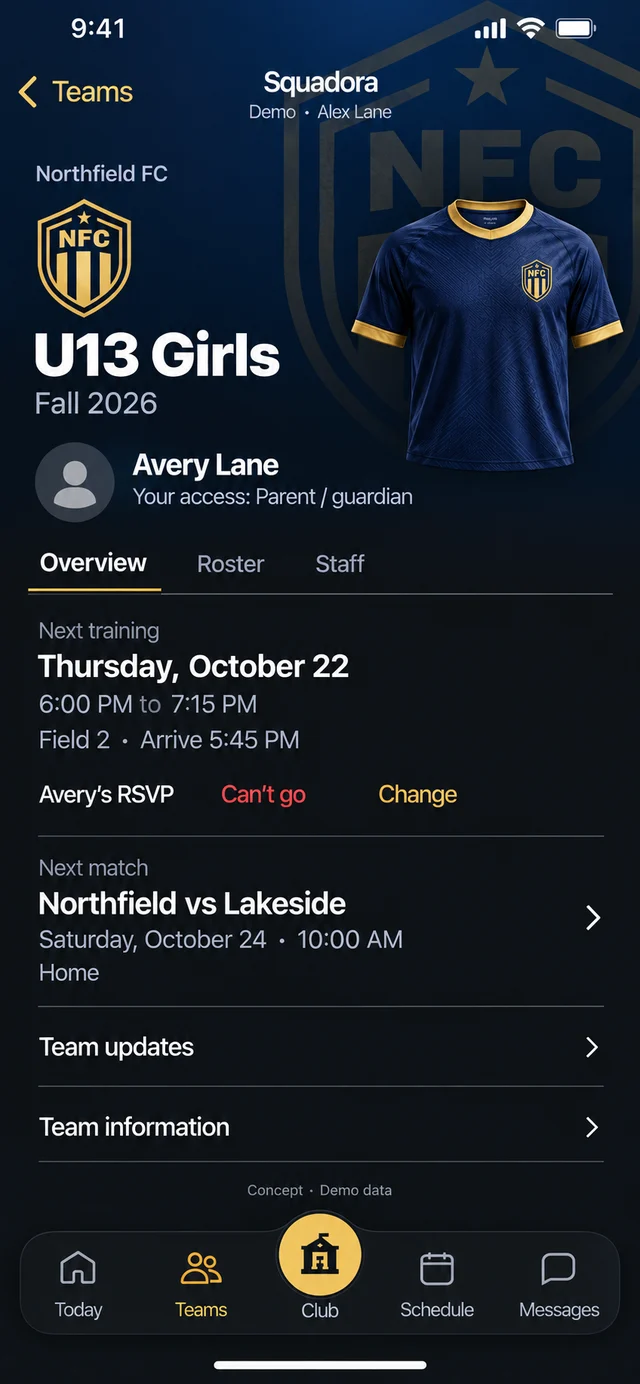
In Squadora, families get day and week views of every team their children are on. Admins confirm, waitlist, ask for changes or decline each application, and families get an email when they are moved off the waitlist. A child moves to another club only when both clubs approve.
The takeaway
A roster is only as clean as the registration behind it. Clubs that put the season, the forms and the fee into one registration spend their time placing players, not chasing paper.
A checklist, in the order a registrar works
- Season dates and age groups set for August 1 to July 31.
- Registration open with the fee, the required forms and a closing date.
- Unpaid, unsigned, duplicate and wrong-birth-date records cleared.
- Teams balanced by age group, then by level.
- Every coach cleared before going on a roster.
- Rosters published, with the schedule and messages ready for families.
- Waitlist and transfers handled as they come, and next season rolled over from this one.
Keep reading
Sources
- US Youth Soccer, "Updated decision on age group formation", June 10, 2025. Read October 25, 2026.
- JerseyWatch, "How to Manage Team Rosters for a Youth Sports League". Read October 25, 2026.
- TeamSnap, "Sports rostering tips: best youth sports roster template", November 28, 2023. Read October 25, 2026.
- Eastern Pennsylvania Youth Soccer, "2026-2027 Club Affiliated Tournament Team". Read October 25, 2026.
- Squadora, features. Read October 25, 2026.
Other names belong to their owners. Found an error? Write to support@squadora.com.
Updated October 25, 2026